
Professional Headshots: Cost, Examples, Styles & Advice
San Francisco Bay Area Professional Headshot Photography Guide
What to Know Before Your Professional Headshot
S72 Business Portraits provides professional headshot photography at our San Francisco Bay Area studio or your location for company and team sessions. Every session is built for the person in front of the camera: custom lighting, full on-camera direction, and hand retouching on every image. This page covers what professional headshots are, what they should look like, what to wear, how much they cost, and how to choose the right photographer.
What are Professional Headshots?
Professional headshots are studio portraits built for business. They show up on LinkedIn, company websites, conference bios, pitch decks, proposals, and press features. The image needs to project credibility fast because the people looking at it (hiring managers, clients, investors, partners) form an opinion before they read a word.
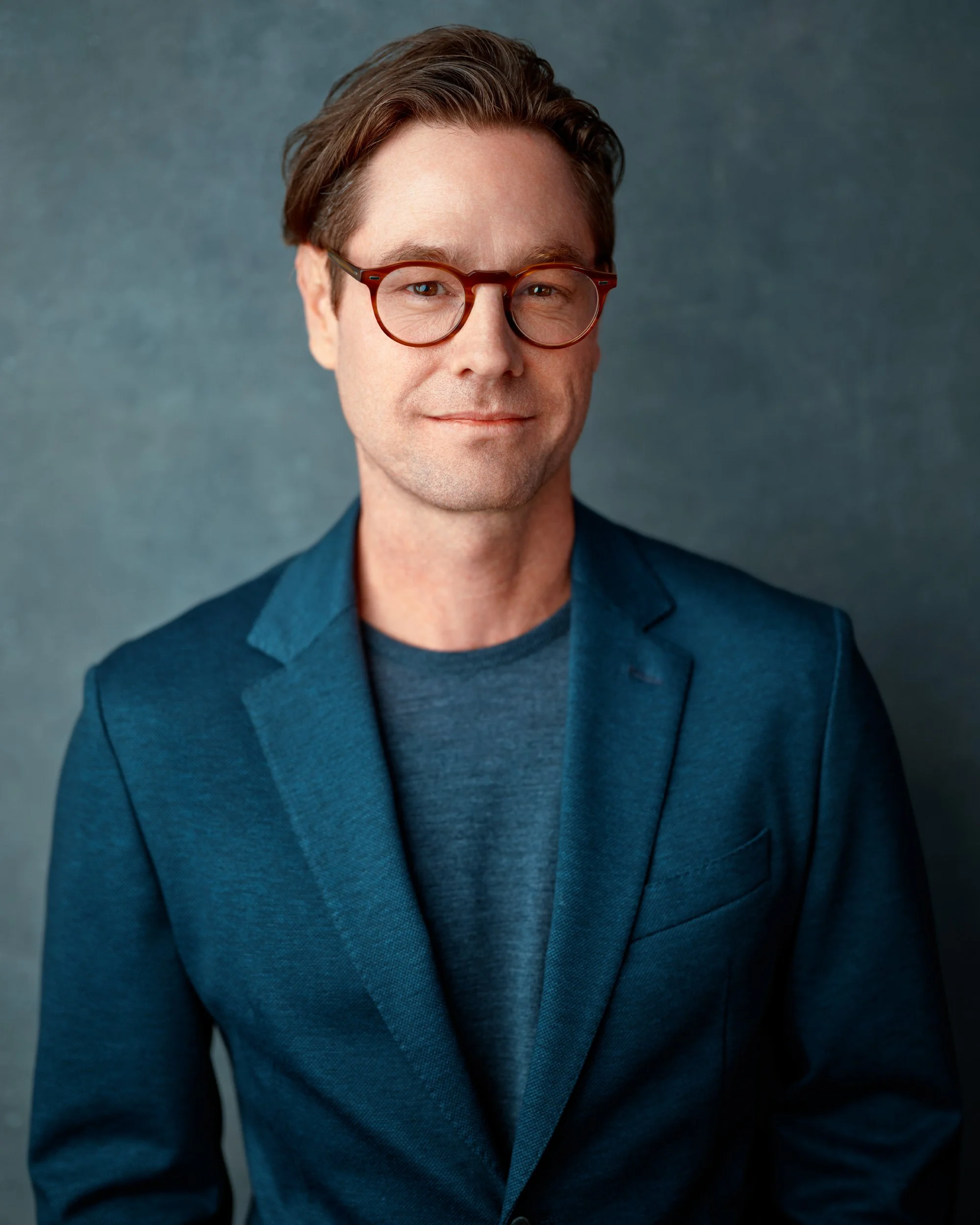
The standard is head-and-shoulders framing with steady eye contact and a clean background. Lighting, backdrop tone, and camera angle change based on your role and where the image will be used. A product manager going on LinkedIn needs a different look than a managing partner going on the firm's website. The fundamentals stay the same: clear eyes, relaxed shoulders, and light that shapes your features without distortion.
Good professional headshots are planned. You get direction for posture and expression, controlled lighting matched to your face, and a backdrop chosen to support your role. Framing is intentional so the image works at thumbnail size on LinkedIn and full-screen in a slide deck.
Why Do Professional Headshots Matter?
Your headshot is often the first thing people see before they meet you, read your bio, or hear your pitch. Hiring managers scan LinkedIn profiles. Clients check the team page before a first call. Conference organizers pull your photo for the program. Each of those moments happens in less than a second.
A strong headshot builds trust before any conversations start. A weak one raises doubt. If the image looks outdated, over-filtered, or obviously generated, the person viewing it makes a judgment about your attention to detail. That judgment carries into the meeting, the negotiation, or the decision to reach out.
For teams, the stakes multiply. Mismatched headshots on a company page signal that nobody is paying attention to how the brand presents itself. Consistent, well-made portraits across the team reinforce that the people behind the company take their work seriously.
Who Needs Professional Headshots?
Anyone whose work depends on trust with people who haven't met them yet. That covers more ground than you'd expect.
If you meet clients, lead teams, pitch investors, or speak at events, your headshot is doing work before you walk in the room. Executives need authority with approachability. Designers and creatives need a modern look that signals taste without trying too hard. Attorneys and financial professionals lean toward a steadier, more composed feel. Each role calls for a different balance of lighting, backdrop, and expression.
Teams benefit too. Consistent headshots across the company website and LinkedIn pages present a unified brand. When the photos look like they were taken in the same year by the same photographer, clients and partners notice. When they don't, that's also noticed.
Common triggers: a new role, a company rebrand, a website refresh, a funding round, or conference speaking slots. If your photo is more than two years old or your appearance has changed enough that people meeting you look surprised, it's time.
Independent consultants, physicians, real estate agents, and engineers all benefit when the headshot matches their market. One image can serve across LinkedIn, a company bio, proposals, speaker pages, and press mentions.
How Often Should I Update My Professional Headshot?
Every one to two years, or sooner if something changes. A new role, a noticeable shift in your appearance, a company rebrand, or a round of visibility (funding, press, speaking) that puts you in front of new audiences are all triggers.
The test is simple: if people who meet you in person look surprised compared to your photo, it's overdue. Professional headshots appear in more places than you realize (LinkedIn, the company website, email signatures, conference programs, proposals), and each one is a first impression happening without you in the room.
For the full guide on timing and triggers, see How Often Should You Update Your Headshot?.
What Should I Look For In A Professional Headshot Photographer?
Start with direction. A good headshot photographer tells you where to look, how to angle your chin, and when to relax your shoulders. You should never have to guess what to do in front of the camera. If you've ever looked stiff in a photo, it's because nobody coached you through the frame. Clear direction is the difference between a good session and an uncomfortable one.
If you're nervous about being photographed, that's normal. Most people are. What matters is that the photographer acknowledges it and has a process for working through it. Good coaching makes camera-shy clients look natural within a few minutes.
Look at their portfolio for range. Can they handle different faces, different roles, and different industries? If every headshot in their gallery uses the same backdrop and same light, that's a one-setup operation. You want someone who adjusts lighting per person, not someone running everyone through the same recipe.
Ask about retouching. The goal is light cleanup that removes temporary distractions (stray hairs, blemishes, under-eye fatigue) while keeping your skin looking real. Heavy retouching looks fake on websites and gets worse at larger sizes. Ask for before-and-after examples.
Confirm the logistics. Turnaround time, proof delivery, and a written reshoot policy protect your investment. If you're booking headshots ahead of a website launch, a job search, or a conference, you need the timeline locked down.
Questions to ask before you book:
How do you direct expression so it stays natural?
Do you build the lighting per person, or use one setup for everyone?
What does your retouching include, and can I see examples?
What's your turnaround time and reshoot policy?
What Should Professional Headshots Look Like?
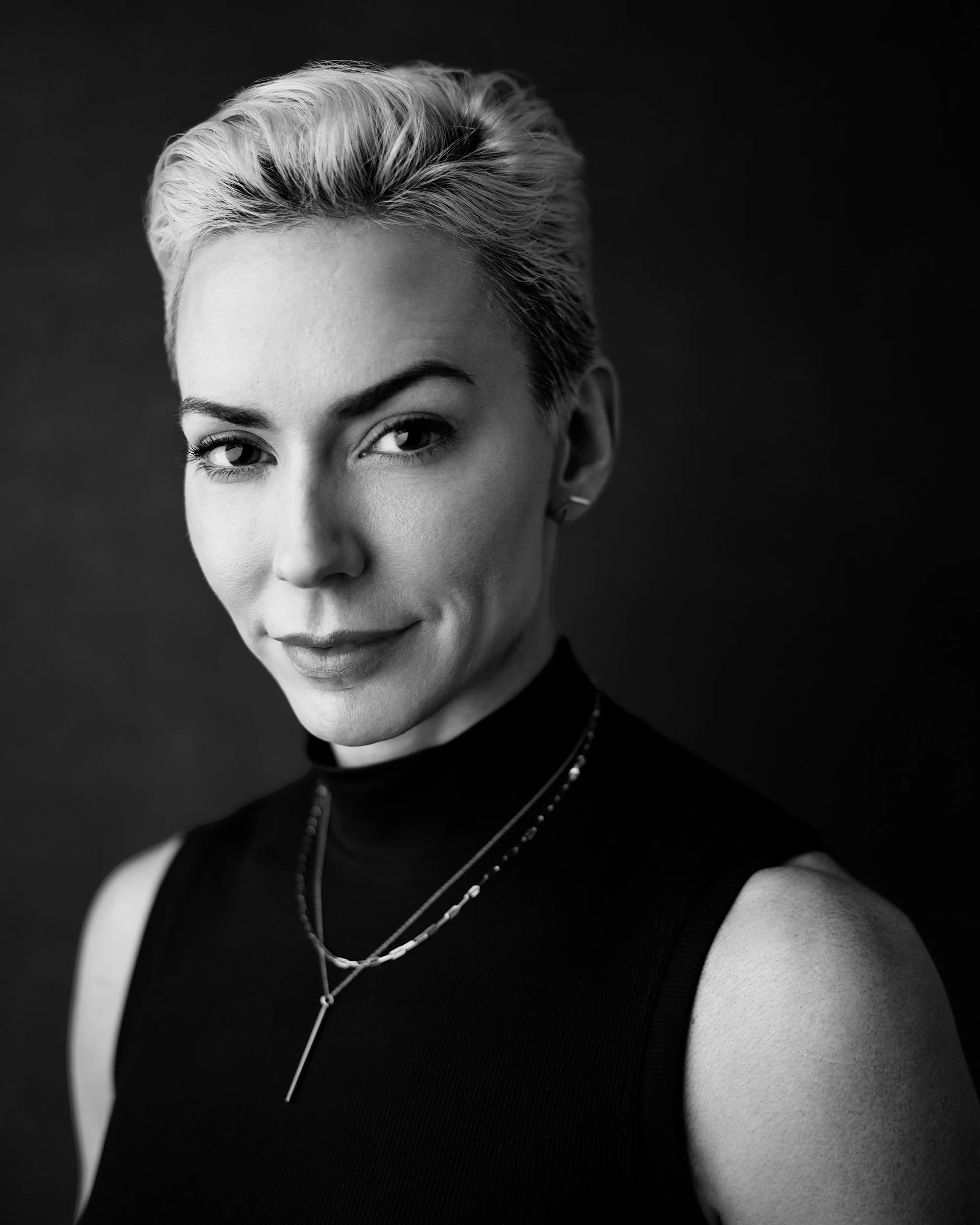
Professional headshots should look clean, confident, and consistent across every placement. The details that separate a good headshot from a forgettable one are backdrop, lighting, framing, and expression.
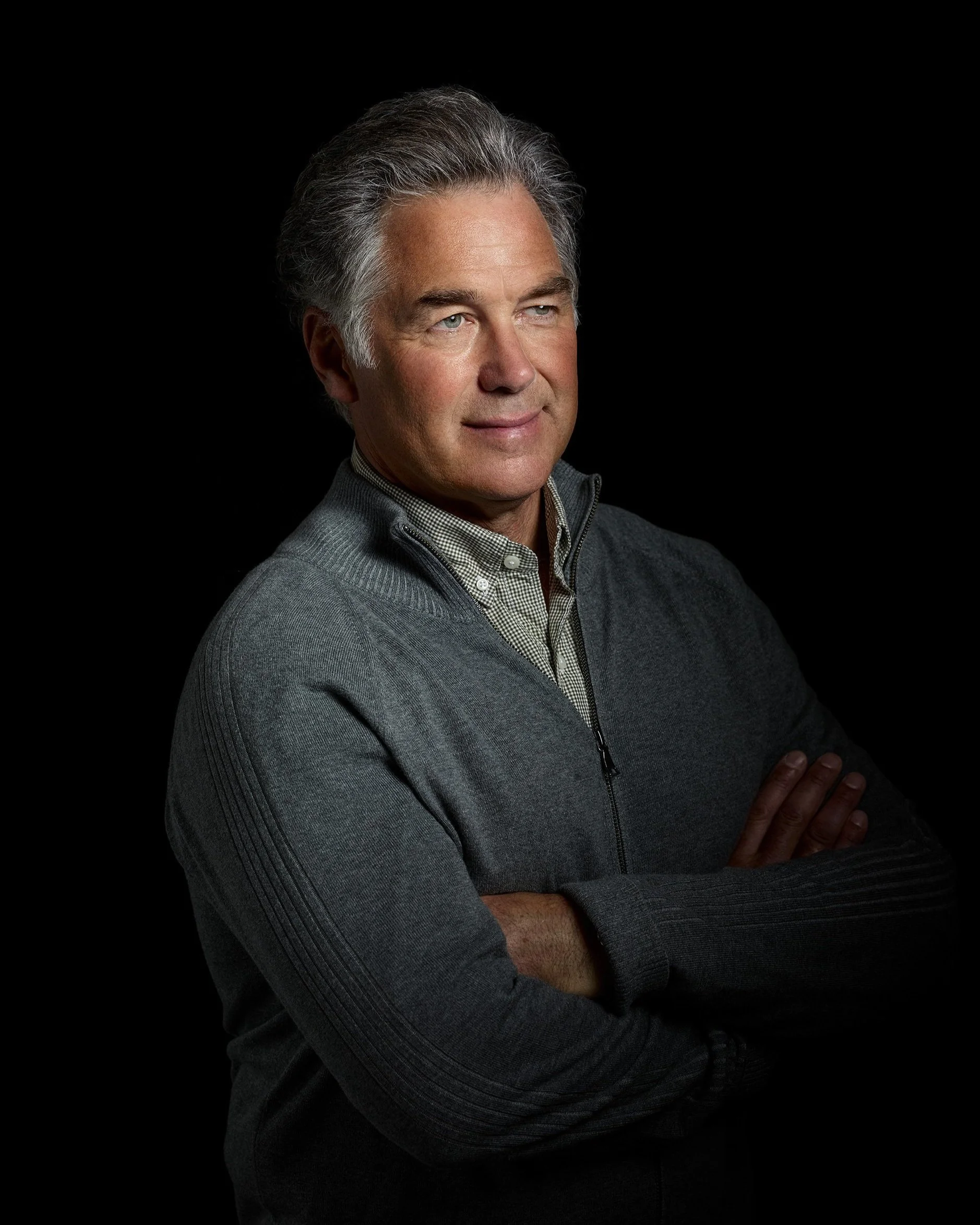
Backdrop. Neutral tones work best. Light gray reads modern and flexible. Darker gray or charcoal adds weight for senior or formal roles. Textured canvas gives a classic studio feel. The background should never compete with your face.
Lighting. Even, soft light creates an open and approachable look. Directional light adds depth and presence for roles that call for more gravity. The right setup depends on your face shape, your role, and where the image will be used. Studio lighting gives full control over these variables, which is why most professional headshots are shot in-studio rather than outdoors.
Framing. Head-and-shoulders is the standard. Camera height at or near eye level keeps proportions natural. A waist-up frame works for speaker pages and company bios where more context helps. Your face should fill enough of the frame to read clearly at LinkedIn thumbnail size and still hold up full-screen in a presentation slide.
Expression. A confident, relaxed expression works for most professional contexts. Some roles benefit from a warmer smile; others call for a more composed look. Steady eye contact with the camera is the baseline. The goal is to look like yourself when you're focused and engaged, not posing.
The test: the image should hold up everywhere it appears, from a 100-pixel LinkedIn circle to a full-screen conference slide. Creative, distinctive headshots get noticed without hype.
WHAT SHOULD I WEAR FOR Professional HEADSHOTS?
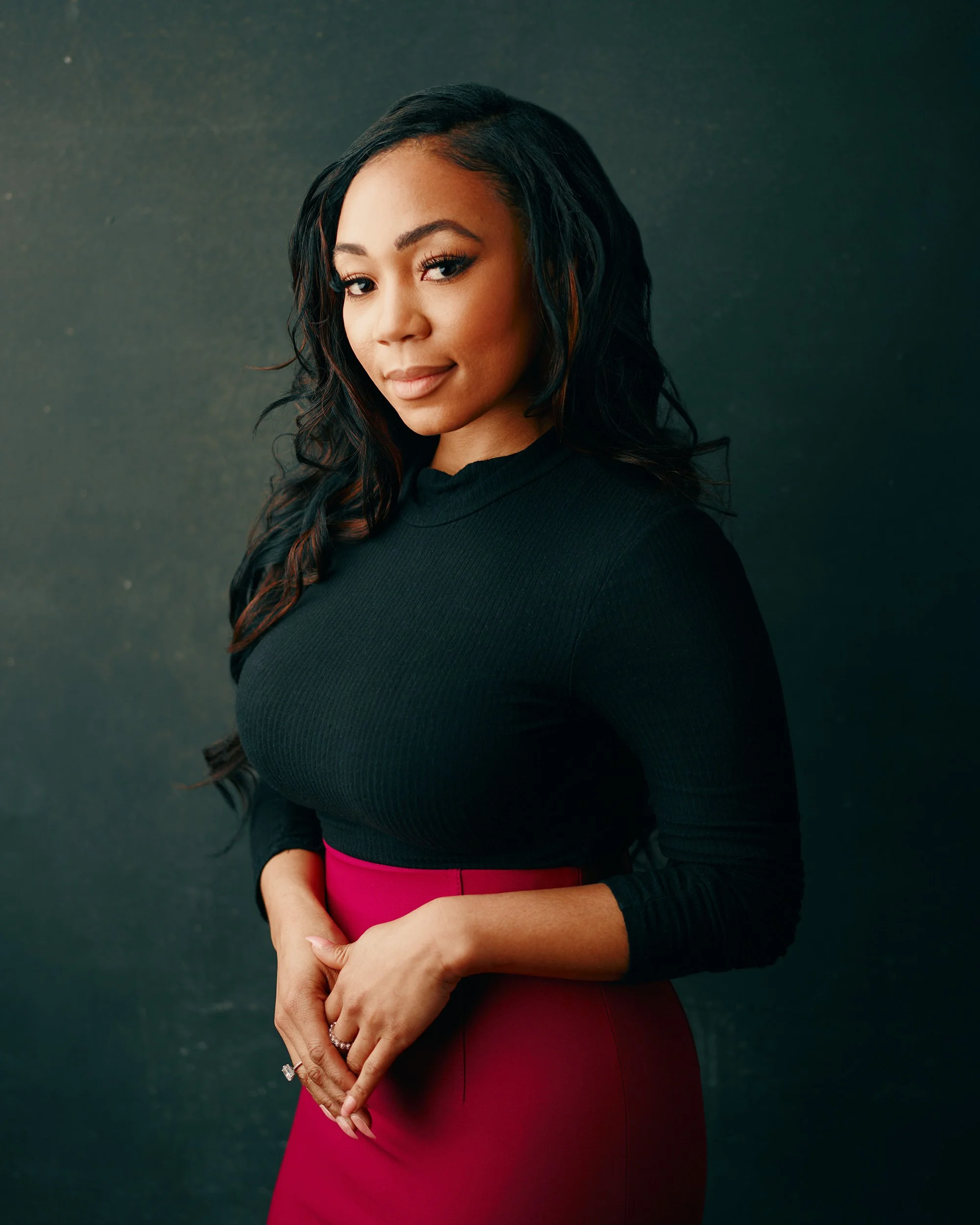
Fitted, structured pieces that match how you want to come across. The right choice depends on your field. Finance and law skew toward tailored jackets and neutral palettes. Tech and creative roles give you more room for knits, open collars, and color. If you're not sure, look at what people in your target role wear on their LinkedIn profiles, then bring the cleanest version of that.
Color and backdrop pairing. Cool blues and charcoals work well on lighter backgrounds. Lighter tones create contrast against a deeper background. Solid colors are the safest bet, but subtle texture (twill, rib knit, matte weaves) adds interest without causing problems on camera. Avoid high-shine fabrics that throw glare under studio lights.
Necklines and fit. V-necks lengthen the neck. Crew necks and collared shirts feel steady. Lapels, collars, and necklines need to stay clean within a head-and-shoulders crop. Before your session, raise your arms and turn your shoulders to check how fabric sits. Bring one alternate top in case your first pick looks too busy on camera.
Glasses and accessories. Wear what people expect to see when they meet you. Glare is handled with a slight lens tilt and light placement. Keep jewelry simple so it adds interest without pulling attention from your face.
Grooming. Match your real life, just a clean version of it. Soft layers and tidy lines work well with studio light. If bold color or a graphic element is your signature, bring it.
For the full checklist on what to bring and how to prepare, see the session preparation guide.
How Much Do Professional Headshots Cost?
Professional headshot sessions in the San Francisco Bay Area typically run from $200 to $800+ for individuals, depending on the photographer’s skill, session length, and what's included. Budget sessions under $150 usually mean fixed lighting, one backdrop, and heavy retouching that looks artificial at small sizes. At the higher end, you're paying for custom lighting built for your face, personal coaching on expression and posture, retouching done by hand and a more skilled photographer.
The price makes more sense when you think about where the photo goes. A single professional headshot covers your LinkedIn profile, company website, email signature, conference bios, proposals, and press features. One session, used across all of those placements, for one to two years.
If you need multiple looks (one for LinkedIn, one for the company site, one for speaking bios), plan for enough session time to change lighting between setups. Rushed sessions produce rushed results.
Ask what's included before you book. Some photographers charge per retouched image on top of the session fee. Some charge licensing fees for commercial use. At S72, the number of high-resolution digital images depends on the package purchased, but every package comes with multiple images and flexible commercial and personal licensing rights. Cutting corners on a headshot costs more than it saves.
Should I Use AI for My Professional Headshots?
AI headshot generators are fast and cheap. For under $50 you can have a set of images in minutes. But if your headshot appears anywhere that your professional reputation depends on, fast and cheap is the wrong priority.
The problem with AI headshots isn't that they look bad at first glance. It's that they look the same. Scroll through a team page where half the headshots are AI-generated and the other half are real photos, and you can tell. The skin is too smooth, the lighting is too even, the backgrounds are too perfect. That sameness signals a shortcut.
AI also can't solve the real challenge of a professional headshot: matching the image to your role. A product manager's headshot should feel different from a managing director's. AI generators work from selfies. They don't adjust for your face shape, your industry's visual norms, or the difference between a LinkedIn portrait and a speaker bio. They can't coach your expression or match your headshot to the rest of your team.
Research shows that once people learn a headshot is AI-generated, the majority view it negatively, even if the image itself looks fine. In professional contexts where trust is the currency, that risk isn't worth the savings. Read more about why authentic headshots matter.
Why S72 For Professional Headshots?
I shoot professional headshots at my studio in San Francisco's SoMa neighborhood or your location for companies and teams. Every session starts with your goals: where the image will be used, what role you're in, and how you want to come across. From there, I build the lighting, choose the backdrop, and set the camera position for you specifically. That's why the headshots in my portfolio don't all look the same.
You get full direction through every frame. I coach posture, expression, and angles in real time so you're never guessing what to do. Sessions are up to 30 minutes, and proofs are delivered shortly after. Once you've made your selects and the retouching is done, you have images ready for LinkedIn, the company website, proposals, and press.
Every final image is retouched by hand. No batch filters, no automated processing. I clean up temporary distractions and keep everything else real. You'll look like yourself on a good day, not a version of yourself that doesn't exist.
I back every individual session with a 100% money-back guarantee. If the headshots don't work, you don't pay. See what a session looks like or use the form below to ask a question and start your booking.